
Get Started with Zoe for Unity
Follow these tutorials to quickly get started with the plugin.
Three Steps to Your First Project
Follow this simple path to get up and running with Zoe for Unity in minutes.Get your License
Contact our team to get your Zoe for Unity license. We'll help you choose the right plan for your needs.
Download & Install
Log in to download the Unity plugin package. Import it into your Unity project to get started.
Build Your Experience
Follow our beginner video series to create your first immersive VR experience with no coding required.
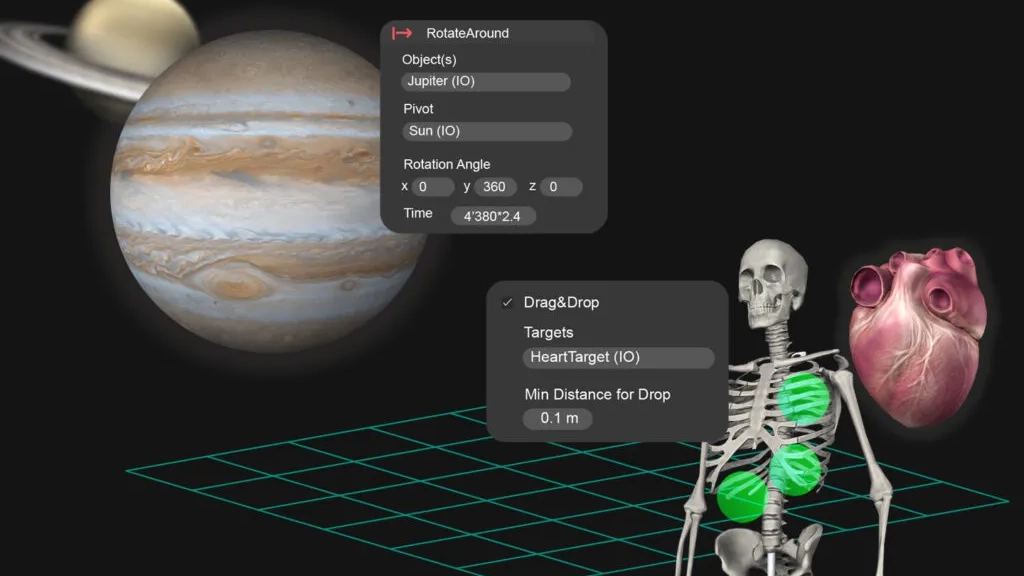
Beginner Video Series
Learn everything you need to build your first Zoe project with our comprehensive video tutorials.View All Videos
Play this video in a new tab
Downloading & Installing
Get started by downloading and installing the Zoe for Unity plugin.Play this video in a new tab
Basic Layout Setup
Learn how to set up your basic layout and scene structure in Unity.Play this video in a new tab
The Interactive Camera
Master the interactive camera system for immersive experiences.Play this video in a new tab
Testing in Unity
Learn how to test and preview your experiences within Unity.Play this video in a new tab
3D Models: The Basics
Understanding 3D models and how they work in Unity.Play this video in a new tab
3D Models: Importing your own
Bring your own 3D models into your Zoe project.Play this video in a new tab
Adding Interactivity
Learn about interactive objects (IOs) and their basic structure.Play this video in a new tab

Setting Up Interactions
Learn how to set up an IO with Zoe for Unity.Play this video in a new tab
Conditions & Actions
Learn how to create an interaction using conditions and actions.Play this video in a new tab
Adding Feedback
Learn how to add visual cues as feedback for the user.Play this video in a new tab

Exporting to Web
Learn how to export your Zoe for Unity experiences to the Web.Ready for a Challenge?
Once you've completed the basics, test your skills with this challenge.View Challenge